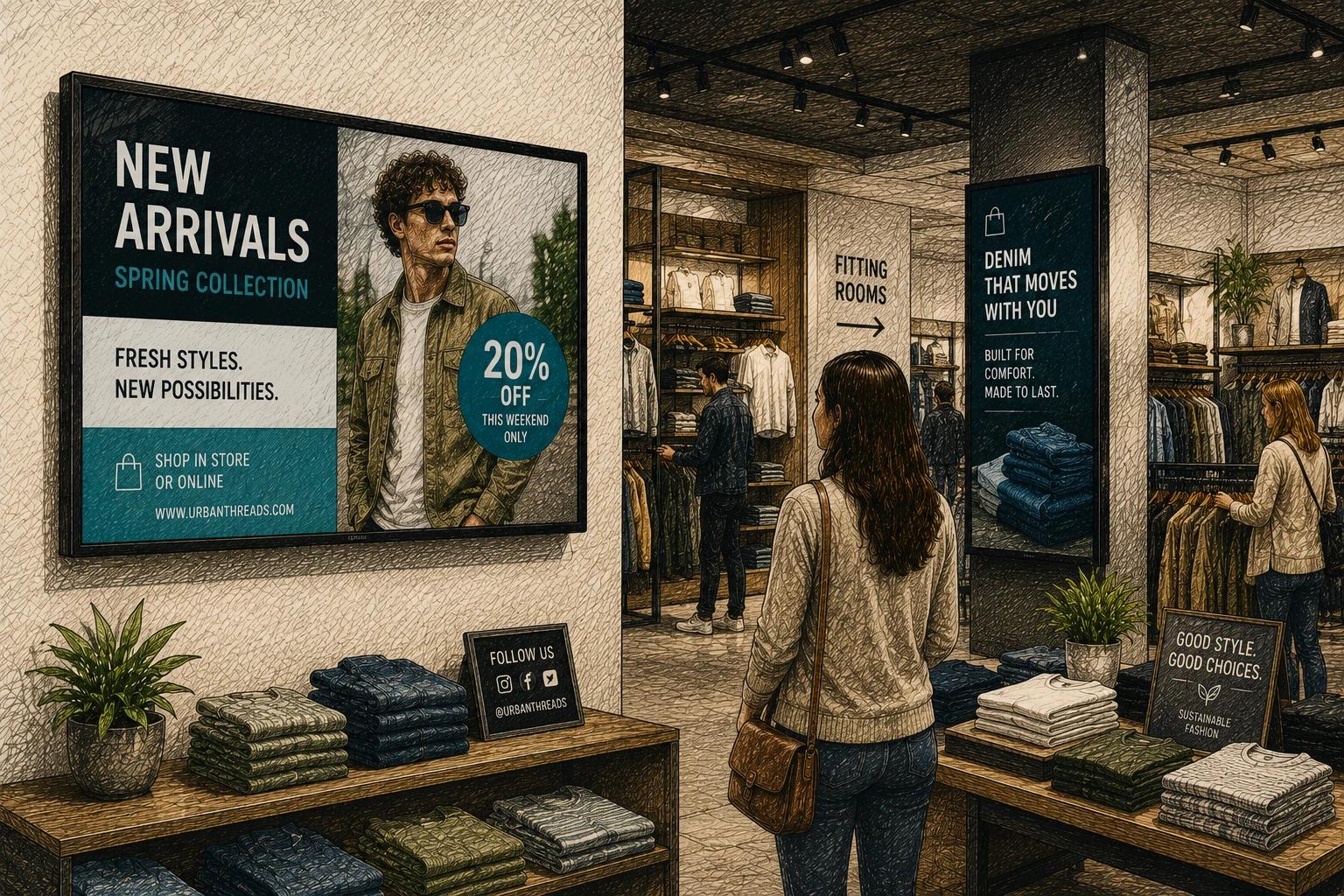
A printed promo sign goes stale the second the price changes. A front-of-store screen can switch from breakfast to lunch, weekday offers to weekend events, or clearance to new arrivals without anyone pulling tape, reprinting paper, or walking the floor with a stapler. That is where retail promotional screen software starts to matter - not as a flashy add-on, but as a practical operating tool.
For many retailers, screens are still underused. They run a looping slideshow, show generic brand visuals, or sit on one outdated message for weeks. The gap is rarely the hardware. It is usually the software behind it. If the system is hard to update, slow to schedule, or too complicated for everyday teams, the screen becomes decoration instead of a sales channel.
What retail promotional screen software should actually do
At its core, retail promotional screen software helps stores publish and manage promotional content across digital displays. That includes sale announcements, limited-time offers, product spotlights, seasonal campaigns, loyalty messaging, and location-specific notices. The best platforms go further by making those updates easy enough to happen often.
That matters because retail promotions are rarely static. Prices shift. Inventory changes. Weather affects demand. One store may need to push outerwear while another highlights patio products. A useful screen platform needs to handle that reality without turning every update into a design or IT project.
Good software usually combines three jobs in one place. It gives teams a simple way to create content, a reliable way to publish it to screens, and enough scheduling control to run the right message at the right time. If one of those pieces is missing, the system gets harder to use and the business gets less value from its displays.
Why retail promotional screen software works better than static signage
The obvious advantage is speed. A digital screen can be updated in minutes, whether you manage one location or fifty. But the bigger advantage is consistency. Retail teams often struggle to keep stores aligned when promotions change quickly. Static signage creates lag. Some locations update on time, others do not, and brand presentation starts to drift.
Retail promotional screen software reduces that drift by centralizing control. Marketing can roll out a campaign across every store, while operations can still adjust for local timing or inventory needs. That balance matters. Full central control can feel rigid, but too much store-level freedom leads to inconsistent execution.
There is also a practical labor benefit. Associates should not spend valuable floor time swapping signs that change every few days. Digital promotion reduces that manual work. In smaller teams especially, that saved time has real value.
Then there is message quality. Screens can combine motion, timing, and layout in a way printed signs cannot. A promotion with strong visuals, product context, and a clear callout often gets noticed faster than a static poster buried in a busy environment. That does not mean every screen needs animation. In fact, too much movement can make retail displays harder to read. The point is control. Good software helps teams present promotions clearly, not just loudly.
The features that matter most
Not every digital signage platform is built with retail in mind. Some are designed for corporate communications, menu boards, or enterprise networks with dedicated technical teams. Retail environments usually need something more practical.
A strong platform should make content creation simple for non-designers. Templates are especially useful here. If your team can drop in a new product image, adjust a price, and publish without rebuilding the layout every time, updates happen faster and with fewer mistakes.
Scheduling is another essential feature. Promotions often run on a clock. Happy hour, weekend sales, holiday windows, and time-based offers should not require manual activation. The software should let teams schedule content by date, time, and screen group so campaigns run when they are supposed to.
Remote management becomes critical as soon as you operate across multiple stores. Being able to monitor screens, push updates, and confirm playback from one dashboard saves a huge amount of friction. It also helps avoid the common problem of one disconnected or outdated display sitting unnoticed in a high-traffic area.
Integrations can also make a real difference, though this depends on the retailer. Some businesses benefit from connecting product feeds, social content, dashboards, or local data like weather. Others mainly need easy media uploads and dependable scheduling. More integrations are not automatically better. The right question is whether they reduce work or just add setup complexity.
Where retailers often get it wrong
A lot of businesses buy screens first and think about content systems later. That usually leads to a patchwork setup - USB drives in some stores, consumer apps in others, and no clear process for campaign changes. It can function for a while, but it does not scale well.
Another common mistake is overbuying. Some retailers choose heavyweight platforms with features built for large enterprise teams, only to discover that everyday updates require too many steps. If a store manager or marketer cannot confidently use the system after basic onboarding, adoption tends to fall off.
Content strategy is another weak spot. Software can make publishing easier, but it cannot fix unclear messaging. Retail screens work best when they focus on a few priorities: what is on sale, why it matters now, and what the shopper should notice next. Trying to cram five promotions, a brand video, social posts, and a QR code into one layout usually lowers impact.
There is also a temptation to treat every screen the same. But placement matters. A window display, queue screen, endcap screen, and checkout display each serve different moments in the customer journey. The software should support that difference instead of forcing a single message everywhere.
How to evaluate retail promotional screen software
The best way to evaluate software is to look past the demo and focus on the weekly reality of using it. Ask how long it takes to create a new promotion, schedule it, send it to the right screens, and confirm it is live. That workflow tells you more than a feature grid.
Ease of use should carry real weight. A modern interface is not just about aesthetics. It affects speed, confidence, and how often teams actually update content. If the platform feels like it was built for specialists, many retail teams will use only a fraction of it.
You should also look closely at screen grouping and permissions. Multi-location retailers often need shared brand control with some local flexibility. A store should be able to swap a local event slide or adjust timing without breaking the larger campaign structure. Software that handles this well tends to support growth better.
Reliability matters just as much as usability. Promotions only work if screens play the right content consistently. Offline behavior, player stability, and proof that screens are active all matter in real retail environments where networks and conditions are not always perfect.
Pricing deserves a practical lens too. Cheap software can become expensive if it requires more staff time, extra support, or workarounds to do basic tasks. On the other hand, a premium platform is not a smart investment if its complexity slows your team down. The right fit is usually the one that keeps execution simple while still giving you room to grow.
A smarter use case: from campaigns to ongoing automation
The most effective stores do not use screens only for big promotions. They build an ongoing system. Core brand content runs in the background. Scheduled campaigns layer in by season, category, or daypart. Local messages appear when needed. That creates a screen network that stays active without requiring constant manual attention.
This is where lighter, more modern platforms are starting to stand out. Instead of turning digital signage into a technical project, they make it part of normal retail operations. Teams can create repeatable templates, automate playlists, and manage multiple displays without a complicated support structure. For growing businesses, that simplicity is often more valuable than a long list of advanced features they may never use.
A platform like HipDeck fits this shift well because it treats screen management as something teams should be able to handle confidently, not something they need to outsource or overthink. That kind of usability matters more than ever as stores expect more from every display.
The real goal is not more screens
Retailers do not need more digital displays just to say they have gone digital. They need screens that stay current, support promotions, and reduce the work it takes to keep stores aligned. The software is what makes that possible.
When retail promotional screen software is chosen well, screens stop being passive fixtures and start acting like part of the business. They help stores react faster, present offers more clearly, and keep promotions moving without all the usual friction. If your team can update a message as easily as the business changes, the screen finally becomes useful in the way it was supposed to be from the start.