A $300 screen can turn into a $3,000 headache fast if the software is clunky, updates are manual, or each location needs its own workaround. That is why finding the best affordable digital signage is not really about the cheapest screen or lowest monthly fee. It is about getting a system your team can actually use, maintain, and scale.
For small and midsize organizations, affordability is usually less about the sticker price and more about avoiding wasted time. If your staff struggles to update menus, promotions, announcements, or lobby content, the platform is costing more than it looks. The right setup should feel simple on day one and still hold up when you add more screens, more locations, or more people managing content.
What best affordable digital signage really means
Affordable digital signage should do three things well. It should make content easy to publish, keep hardware costs reasonable, and reduce the effort required to manage screens over time. If one of those pieces breaks down, the savings disappear.
This is where buyers often get tripped up. A low-cost media player might look appealing until it struggles with performance. A bargain software plan can become expensive if scheduling is limited or remote management is locked behind a higher tier. On the other side, some enterprise-focused platforms include features most smaller teams will never use, which means you end up paying for complexity instead of value.
The better question is not, "What is the cheapest option?" It is, "What gives us reliable results without creating extra work?"
How to evaluate affordable digital signage without overbuying
The fastest way to narrow your options is to look at the daily reality of your screens. A restaurant with changing menus has different needs than a church posting weekly announcements. A retail chain managing promotions across ten stores needs different controls than a single office lobby.
Start with the content workload
If your content changes often, ease of editing matters more than almost anything else. Teams that update screens daily or weekly need templates, scheduling, and simple publishing. If every update requires a designer, a complicated upload process, or local access to the screen, the platform will feel expensive no matter what it costs.
For less frequent updates, you may be able to accept a more basic setup. But even then, it helps to have a platform that supports quick edits and consistent layouts. Content usually changes more often than teams expect once they realize screens can promote events, share reminders, highlight services, and support operations.
Look closely at hardware flexibility
One of the biggest differences among digital signage platforms is whether they lock you into specific hardware. Some systems work across smart TVs, commercial displays, and common media players. Others require proprietary devices that raise your upfront cost and make replacements harder.
The best affordable digital signage options usually give you flexibility. That does not always mean using the cheapest hardware possible. Consumer TVs can work well in many environments, but if a screen runs all day in a bright storefront or busy waiting room, a commercial display may last longer and look better. Paying a little more upfront can be the more affordable choice over time.
Think about multi-screen management early
Even if you are starting with one or two displays, it is worth choosing software that can handle more. Many organizations start small, then expand once they see results. If your first platform makes it hard to group screens, schedule by location, or manage permissions, growth becomes messy.
This is especially important for schools, churches, healthcare clinics, and multi-location businesses. The moment more than one person touches content, you need structure. Affordable should include operational clarity, not just a low entry price.
Best affordable digital signage features to prioritize
The strongest budget-friendly platforms do not try to do everything. They focus on the features most organizations actually use and make them easy.
Simple content creation
This is the feature that saves the most time. Look for drag-and-drop editing, reusable templates, support for images and video, and layouts that still look polished when a non-designer builds them. A platform that makes average content look organized is often more valuable than one with advanced creative tools most teams never touch.
Reliable scheduling
Scheduling sounds basic until it fails. You want to publish content ahead of time, set start and end dates, and manage dayparting when needed. Restaurants may need breakfast and dinner menus. Schools may want different slides before school, during lunch, and after hours. If scheduling is confusing, your team will default to static content and lose a lot of the value.
Remote screen management
Affordable digital signage should reduce trips, not create them. Remote updates, device monitoring, and basic proof of playback can make a major difference, especially across multiple locations. If something goes offline, you should know quickly.
Integrations that remove manual work
Good integrations keep content current without constant editing. That could mean pulling in dashboards, social content, calendars, announcements, menu data, or internal communications. Automation matters because the real cost of signage often shows up in maintenance, not setup.
Where many low-cost digital signage setups fall short
A cheap digital signage setup can work, but there are common failure points. The first is content friction. If publishing takes too many steps, screens stop getting updated. The second is hardware inconsistency. Different devices across locations can create playback issues and support headaches.
The third problem is hidden pricing. Some vendors advertise a low monthly rate, then charge more for templates, user roles, advanced scheduling, or support. Others make onboarding harder than it should be, which turns affordability into a technical burden.
There is also the issue of appearance. Affordable should not mean amateur-looking. A screen is part of your customer experience and your internal communication environment. If the content feels outdated or poorly formatted, it reflects on the organization.
Matching the right setup to your environment
There is no single answer for every buyer, which is why the best affordable digital signage depends on context.
For a small business with one or two screens, the ideal choice is usually a simple cloud-based platform with flexible hardware support and fast content updates. Ease of use should outweigh edge-case features.
For multi-location operators, consistency matters more. You need tools for shared templates, screen grouping, role-based access, and remote oversight. A slightly higher monthly cost can still be the affordable option if it saves hours every week.
For schools, churches, and community organizations, the balance often leans toward simplicity and repeatability. These teams may have rotating contributors, limited time, and a need to post announcements quickly. A clean editing experience and scheduling tools usually matter more than highly customized playback rules.
For restaurants and retail, speed is critical. Promotions, pricing, menus, and seasonal campaigns change often. In these environments, an affordable system has to support frequent updates without slowing down staff.
What a smart budget looks like
A practical digital signage budget usually includes three parts: the display, the media player if needed, and the software subscription. That part is obvious. What buyers sometimes miss is the labor cost behind content production and screen management.
If a lower-cost platform saves you $20 a month but adds two extra hours of work each week, it is not cheaper. If a more capable platform helps store managers update local promotions without calling marketing, the savings show up in speed and autonomy. That is real value.
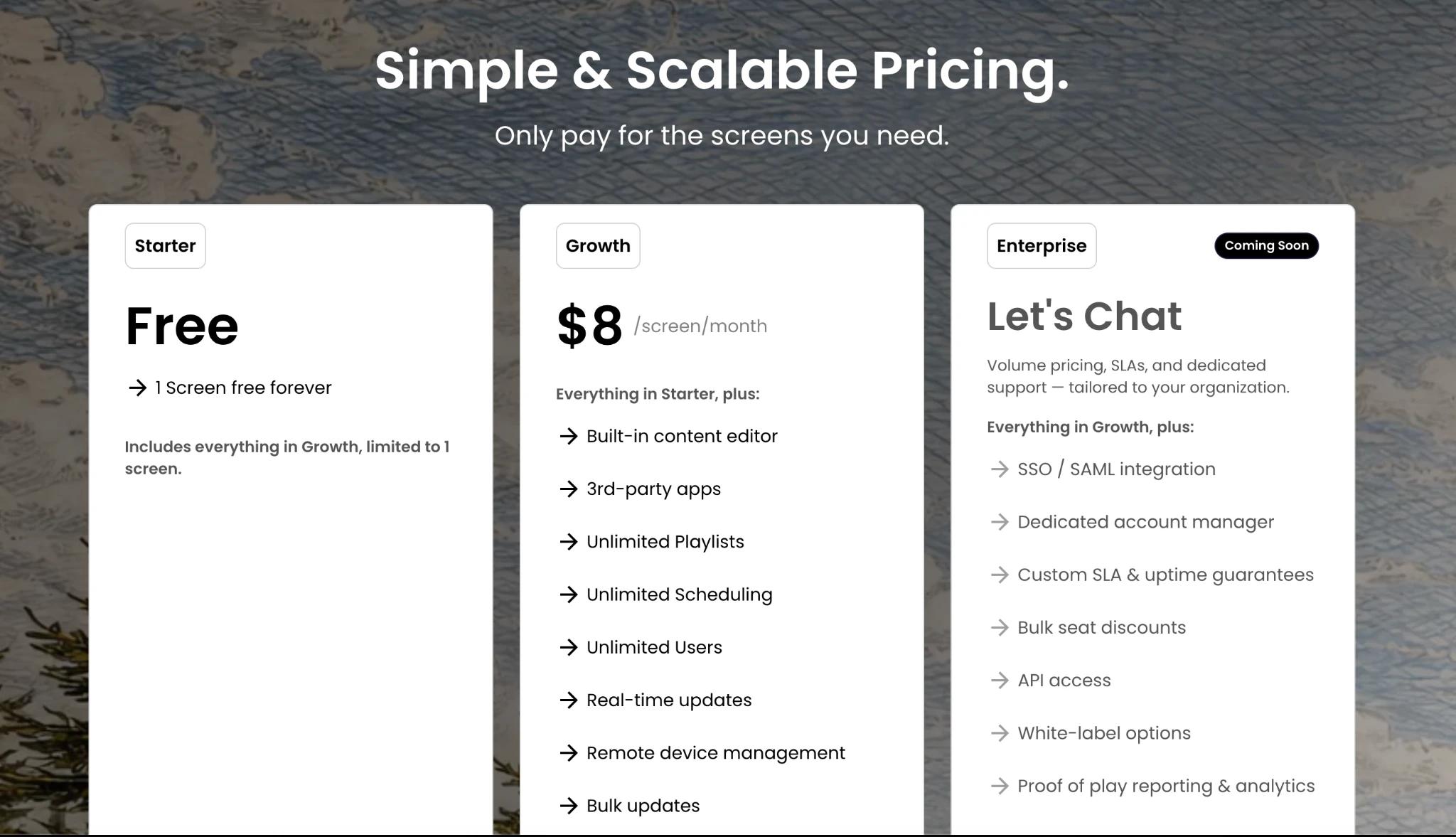
This is also why modern, approachable platforms tend to outperform older systems for smaller teams. They are built around usability, not just control. HipDeck fits well in this category because it focuses on making professional screen content easy to create, manage, and automate without the overhead that often comes with legacy signage software.
The best affordable digital signage is the one your team will keep using
That may sound obvious, but it is the deciding factor. Plenty of digital signage projects start with enthusiasm and fade into stale content because the system was harder than expected. Affordability is not just about buying in. It is about staying active.
When evaluating options, ask simple questions. Can a non-technical person update this in minutes? Can we manage multiple screens without confusion? Will this still work if we grow? Can we keep content fresh without adding another operational burden?
If the answer is yes, you are probably looking at a solution that is truly affordable.
The strongest screen strategy is rarely the flashiest one. It is the one that helps your team communicate clearly, update content consistently, and keep moving without friction.