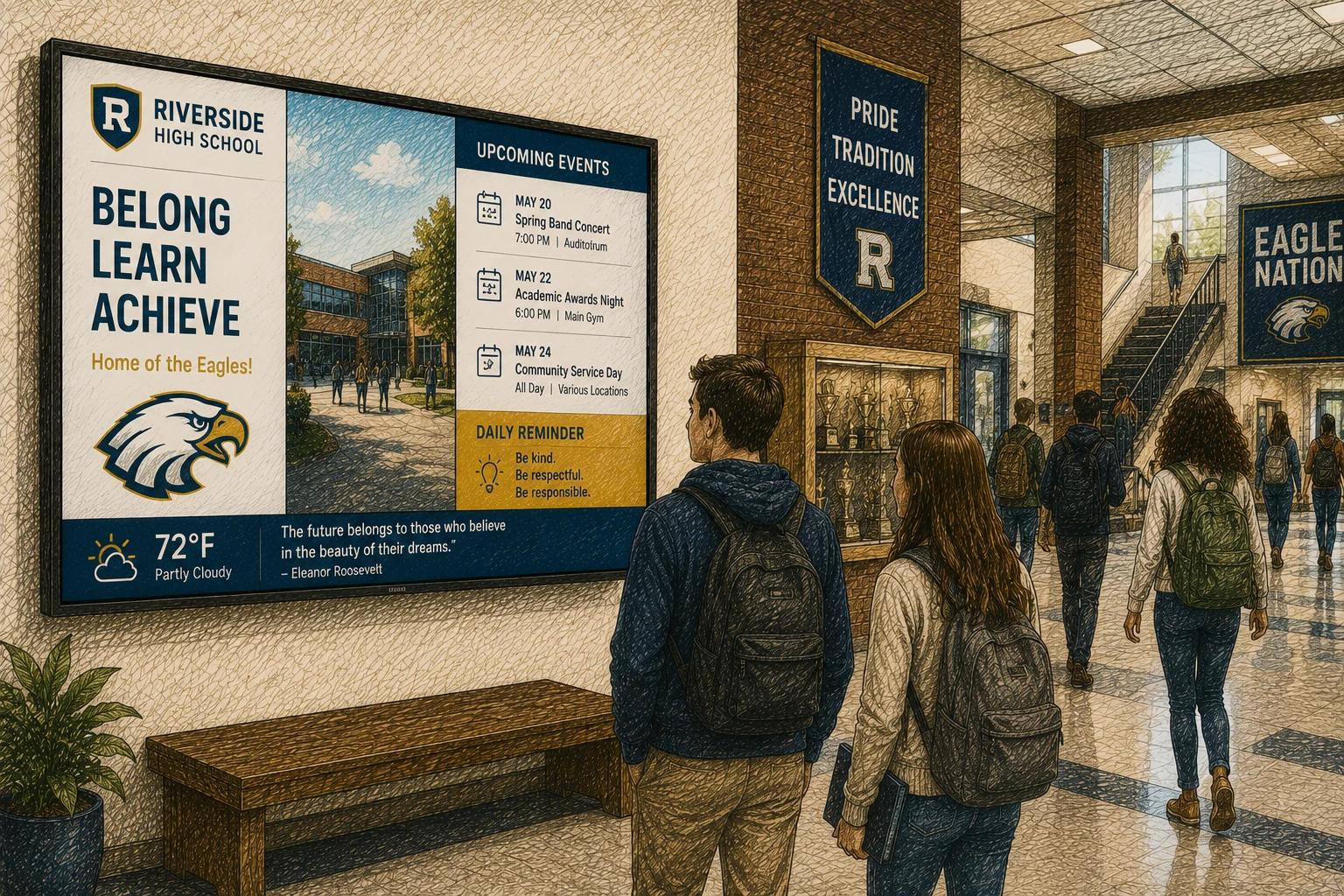
The front office gets a weather alert at 6:12 a.m. By 6:15, families need an update, staff need instructions, and students need the right message on the right screen. That is the real test of school digital signage software. Not whether it looks impressive in a demo, but whether it helps a school communicate clearly when timing matters.
For K-12 districts, private schools, and higher education teams, digital signage is no longer just a lobby screen with announcements. It is part of daily operations. Morning reminders, lunch menus, event promotion, safety messaging, attendance campaigns, student recognition, and wayfinding all compete for space. The software behind those screens determines whether updates feel easy and reliable or slow and fragmented.
What school digital signage software should actually solve
Schools do not need more communication channels that add work. They need systems that reduce it. Good school digital signage software should make publishing faster, keep screen content current, and give staff confidence that messages will appear where and when they should.
That usually means the software has to serve different users with different goals. A district communications lead may want brand consistency across multiple campuses. A principal may want control over one building's announcements. A front office coordinator may just need to update a dismissal notice without opening a design program or submitting a ticket.
This is where many platforms start to separate. Some are designed for enterprise control first and school usability second. They can do a lot, but they often ask too much of the people managing them. In a school setting, ease of use is not a nice extra. It is the difference between screens that stay useful and screens that go stale.
The best school digital signage software feels simple in daily use
When schools evaluate signage tools, they often focus on feature count. That makes sense on paper, but in practice, daily usability matters more. A platform with twenty advanced settings is not more valuable than one that helps staff build, schedule, and update content in minutes.
Look closely at the content workflow. Can a non-designer create a polished announcement? Are templates easy to reuse for spirit weeks, testing schedules, or club promotions? Can teams swap out dates, images, and text without breaking the layout? If the answer is no, content quality will depend too heavily on one person.
Screen management matters just as much. A district may have one screen in the front office or fifty spread across cafeterias, gyms, libraries, hallways, and administrative buildings. The software should make it easy to group screens by campus, zone, or use case. A lunch menu should not require the same workflow as an emergency alert or a donor wall.
This is also where a modern platform has an advantage. Simplicity does not mean fewer capabilities. It means the software is organized around the job schools are trying to do.
Key features worth prioritizing
The strongest platforms usually share a few practical traits. First, they make scheduling easy. Schools run on calendars, bell schedules, events, and seasonal changes. If content cannot be scheduled ahead of time, staff end up making the same updates again and again.
Second, they support mixed content well. Schools rarely publish one type of message. They need slides, videos, calendars, images, announcements, menus, social-style visuals, and sometimes live dashboards or data feeds. The software should handle that mix without turning every screen into a manual project.
Third, they support permissions. Not everyone should have the same level of access. A district office may need full control, while a club advisor may only need permission to submit content for one student life screen. Role-based access keeps things organized and reduces errors.
Fourth, they should support remote management. If a screen goes offline, content fails to publish, or a campus needs a fast update, no one wants to troubleshoot by walking across the building or driving across town.
Security deserves a place on this list too. Schools handle sensitive environments. Even if the screen content itself is public, the system behind it should support secure logins, controlled user roles, and stable cloud access.
School digital signage software for different campus needs
Not every school uses signage the same way, so the right choice depends on how screens fit into operations.
For a single-campus private school, the priority may be speed and presentation. A small team needs something affordable, easy to manage, and polished enough for admissions events, parent communication, and student life messaging.
For a public school district, consistency and scale usually matter more. The district may want shared templates, central oversight, and localized updates at each building. In that case, school digital signage software should support both governance and flexibility.
For colleges and universities, the challenge is often complexity. Different departments want their own screens and workflows, but the institution still needs brand standards and administrative control. A system that handles multiple user groups without becoming hard to manage is usually the better long-term fit.
The point is not to buy the most advanced platform available. It is to buy the one that matches the communication model your school actually operates.
Common mistakes schools make when evaluating software
One common mistake is buying based on a one-time installation mindset. Screens are easy to purchase. Ongoing content management is the harder part. If the software requires too much training or too many steps, usage drops after the rollout.
Another is overvaluing custom features that rarely get used. A platform may promise deep configuration, but if the school mainly needs rotating announcements, event promotion, menu boards, and emergency messaging, those extras may add cost and friction without adding much value.
Schools also underestimate the value of templates and automation. Repeating content types are everywhere on campus. Morning announcements, weekly athletic schedules, staff reminders, and event countdowns should not be rebuilt from scratch each time. Good software reduces repetition.
There is also a tendency to separate signage from the broader communications stack. In reality, screens work best when they complement email, websites, printed materials, and social updates. The software should support that rhythm instead of creating one more isolated system.
What affordability really means in education
Budget matters in every school setting, but affordability is not just about the monthly price. It is about total effort.
A lower-cost tool that takes hours each week to manage may not actually save money. A platform that costs a bit more but reduces design time, simplifies approvals, and prevents screen-by-screen maintenance may be the better operational choice.
This is especially true for lean administrative teams. Many schools do not have dedicated signage managers. The work usually lands with communications staff, office managers, IT leads, or administrators who already have full workloads. Software should respect that reality.
That is one reason many schools are moving toward lighter, more intuitive signage systems. They want fewer bottlenecks, faster updates, and less dependency on technical specialists. HipDeck fits that shift well by focusing on practical screen management and easy content creation instead of enterprise complexity.
How to evaluate a platform before you commit
A demo should answer very practical questions. Ask how long it takes to create and publish a simple announcement. Ask how emergency updates work. Ask how screens are grouped and managed. Ask what happens when multiple schools need local control without losing district consistency.
It also helps to test with real scenarios, not abstract ones. Try a welcome screen for parent night, a cafeteria menu rotation, a testing week schedule, and a districtwide alert. Those examples reveal more than a generic product walkthrough.
Pay attention to onboarding as well. Even strong software can fail if setup is confusing. Schools need a platform that gets people moving quickly, with templates, permissions, and screen organization that make sense from day one.
Finally, think beyond launch. The best school digital signage software is not the tool that looks best in the first week. It is the one your team will still be using confidently six months later, when routines settle in and the novelty is gone.
Why the right software improves more than screens
When digital signage works well in a school, the benefit is not limited to better-looking displays. Communication becomes more timely. Staff spend less time chasing updates. Students see more relevant information. Families get a clearer sense that the school is organized and responsive.
That matters because school communication is rarely judged as a standalone function. It shapes trust. It affects participation. It influences how calm or chaotic a campus feels.
The right software helps schools communicate with less friction and more consistency. That is the standard worth using when you evaluate options. If a platform makes everyday updates easier, keeps content fresh, and gives the right people the right amount of control, it is doing the job. And for most schools, that is exactly what matters.