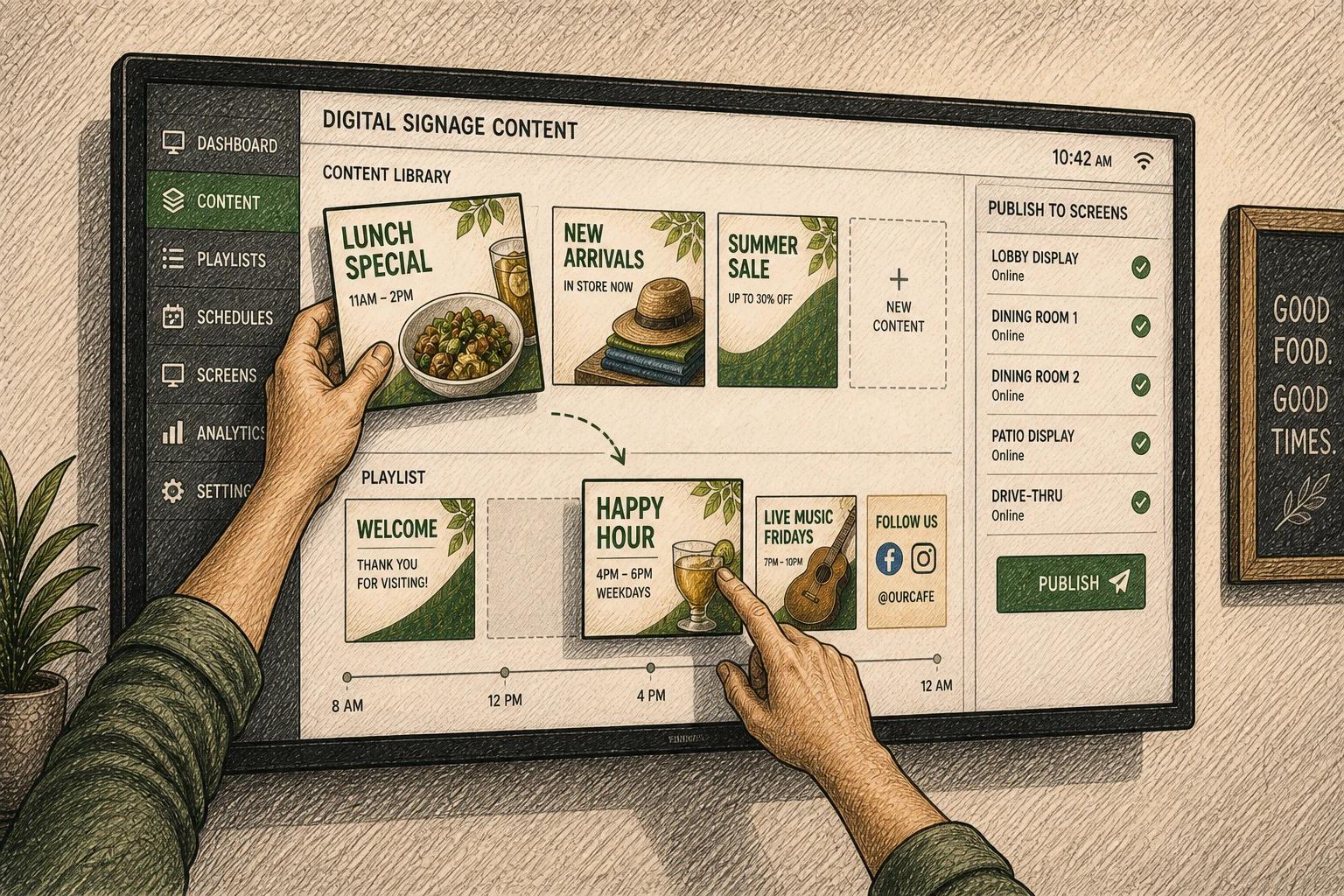
A menu board that still shows last month’s promo at 2 PM on a Friday is not a screen problem. It is an operations problem. That is exactly where self managing digital signage starts to matter - not as a flashy feature, but as a way to remove repetitive work, reduce mistakes, and keep screens useful without someone constantly babysitting them.
For a lot of organizations, digital signage begins with good intentions and turns into another task someone has to remember. A marketer updates one screen but forgets three others. A school changes an event time in one building but not the next. A church has volunteer-run screens that look great on Sunday and drift off schedule by Wednesday. The friction is rarely in designing content. It is in keeping content current, relevant, and consistent over time.
What self managing digital signage actually is
Self managing digital signage is a setup where screens handle more of their own content behavior based on rules, schedules, integrations, and automation. Instead of relying on a person to manually swap slides, publish new playlists, or check every display, the system updates itself using predefined logic.
That logic can be simple or sophisticated. A restaurant might show breakfast until 10:30 AM, lunch until 4 PM, and dinner after that. A retailer might pull current promotions into screens automatically. A school might rotate announcements by daypart, campus, or event calendar. A healthcare waiting room might keep evergreen content running while inserting live updates when needed.
The key point is this: self-managing does not mean fully hands-off in every situation. It means the system takes care of the routine so your team can focus on the exceptions.
Why the old model breaks down
Traditional signage workflows assume someone has time to manage screens manually. That works for one display in one location. It gets shaky when you have multiple departments, changing promotions, seasonal campaigns, or different audiences across sites.
Manual screen management has three recurring costs. First, it eats time in small but constant increments. Second, it increases the odds of stale or inconsistent content. Third, it makes signage feel less reliable, which usually means teams stop treating screens as business-critical communication tools.
This is where many organizations overcorrect and assume they need a big enterprise platform with heavy setup, deep training, and a long feature list. Often they do not. What they need is a cleaner operating model - one where content can update based on time, data, and templates without adding more software complexity than the team can realistically maintain.
The core parts of a self-managing setup
A self-managing system usually combines a few practical building blocks.
Smart scheduling
Scheduling is the foundation. Content changes by time of day, day of week, season, or event window. This alone removes a surprising amount of manual work. If your signage still depends on someone remembering to swap a playlist at the right hour, you do not have a screen strategy yet. You have a recurring reminder.
Template-driven content
Templates keep design consistent while making updates faster. Instead of rebuilding slides, teams change a headline, price, event name, or image inside an existing format. This matters even more across multiple locations, where brand consistency and speed usually matter at the same time.
Data and content integrations
This is where self managing digital signage becomes more than scheduled slides. Screens can pull from calendars, menus, announcements, dashboards, social feeds, or internal data sources. When the source updates, the screen updates too. That reduces duplicate work and lowers the chance of outdated information sitting in public view.
Rules and fallback behavior
Good automation needs guardrails. If a feed fails, what appears instead? If a location has no local update, does it default to corporate content? If an emergency message is published, does it override scheduled content? Self-managing systems are most useful when they are predictable.
What it looks like in the real world
In practice, self-managing signage is rarely about replacing people. It is about reducing low-value tasks.
A multi-location restaurant group might centralize branded promotions while allowing each store to surface location-specific offers. A school district might automate morning announcements, lunch menus, testing reminders, and event promotions without asking staff in every building to manage playlists manually. A church might schedule sermon graphics, volunteer reminders, and upcoming events to rotate automatically throughout the week. A healthcare clinic might keep screens aligned with appointment prep instructions, office notices, and seasonal health messaging.
Different industries use the same principle in different ways. The common thread is operational consistency. Screens stop depending on memory and start following a system.
Where self-managing digital signage helps most
The biggest gains usually show up in organizations with frequent content changes, lean teams, or multiple screens to coordinate. If your content changes once every quarter, heavy automation may not matter much. If your screens need to stay current every day, it matters a lot.
It is especially useful when signage serves a business function rather than just decoration. Think promotion, internal communication, wayfinding, event coordination, compliance reminders, or menu updates. In those cases, stale content is not just a missed aesthetic opportunity. It can create confusion, lost revenue, or a poor customer experience.
There is also a scale factor. One screen can be managed manually longer than ten. Ten can be managed manually longer than fifty. But the moment your team starts creating workarounds, duplicating updates, or relying on a few people who "just know how it works," the system is already under strain.
The trade-offs most buyers should think about
Self-managing sounds ideal, but not every automated setup is a good one. The trade-offs are worth understanding early.
More automation usually means more planning upfront. You need a clear content structure, reliable source data, and a realistic understanding of what should be automated versus what still needs human review. If the source content is messy, automation simply helps messy content move faster.
There is also a balance between flexibility and control. Highly standardized templates make scaling easier, but some teams need room for local customization. Centralized governance helps with consistency, but overcentralization can slow down teams that need to act quickly. The right answer depends on how your organization operates.
Another factor is usability. A self-managing system only helps if non-technical teams can set it up and maintain it. If automation requires constant developer support or deep training, the burden shifts rather than disappears.
How to tell if your signage is ready for this model
Most teams do not need to start from scratch. They need to identify repetitive tasks that can be turned into rules.
If you are repeatedly updating the same screens on a schedule, copying the same content into multiple locations, or fixing content that should have changed automatically, those are strong signals. If teams hesitate to use signage because publishing feels too slow or too risky, that is another signal. The problem may not be content creation. It may be the management layer behind it.
A practical first step is to map your recurring content. What changes daily, weekly, or seasonally? What information already lives somewhere else, like a calendar, menu system, or dashboard? What content needs central approval, and what can be localized? Once those patterns are visible, self-managing workflows become much easier to define.
This is also where simpler platforms often outperform legacy systems. They reduce the friction between planning, design, publishing, and automation. For many growing organizations, that matters more than having every possible feature on paper. A tool like HipDeck fits this shift well because the value is not just in getting content onto screens. It is in making screens easier to keep useful over time.
The bigger shift behind self-managing screens
What is changing here is not just signage software. It is the role of screens inside organizations.
Screens used to be treated like digital posters. Now they are increasingly part of day-to-day operations. They support promotions, communication, timing, coordination, and experience. Once screens take on that role, they need systems that behave more like living channels and less like static design files.
That is why self managing digital signage matters. It reflects a more mature way of thinking about screen networks - not as isolated displays, but as active communication infrastructure that should stay current with less manual effort.
The best setups are not the ones with the most automation. They are the ones that quietly remove friction, keep content accurate, and make teams trust their screens enough to use them more often. That is usually when signage starts delivering real value.