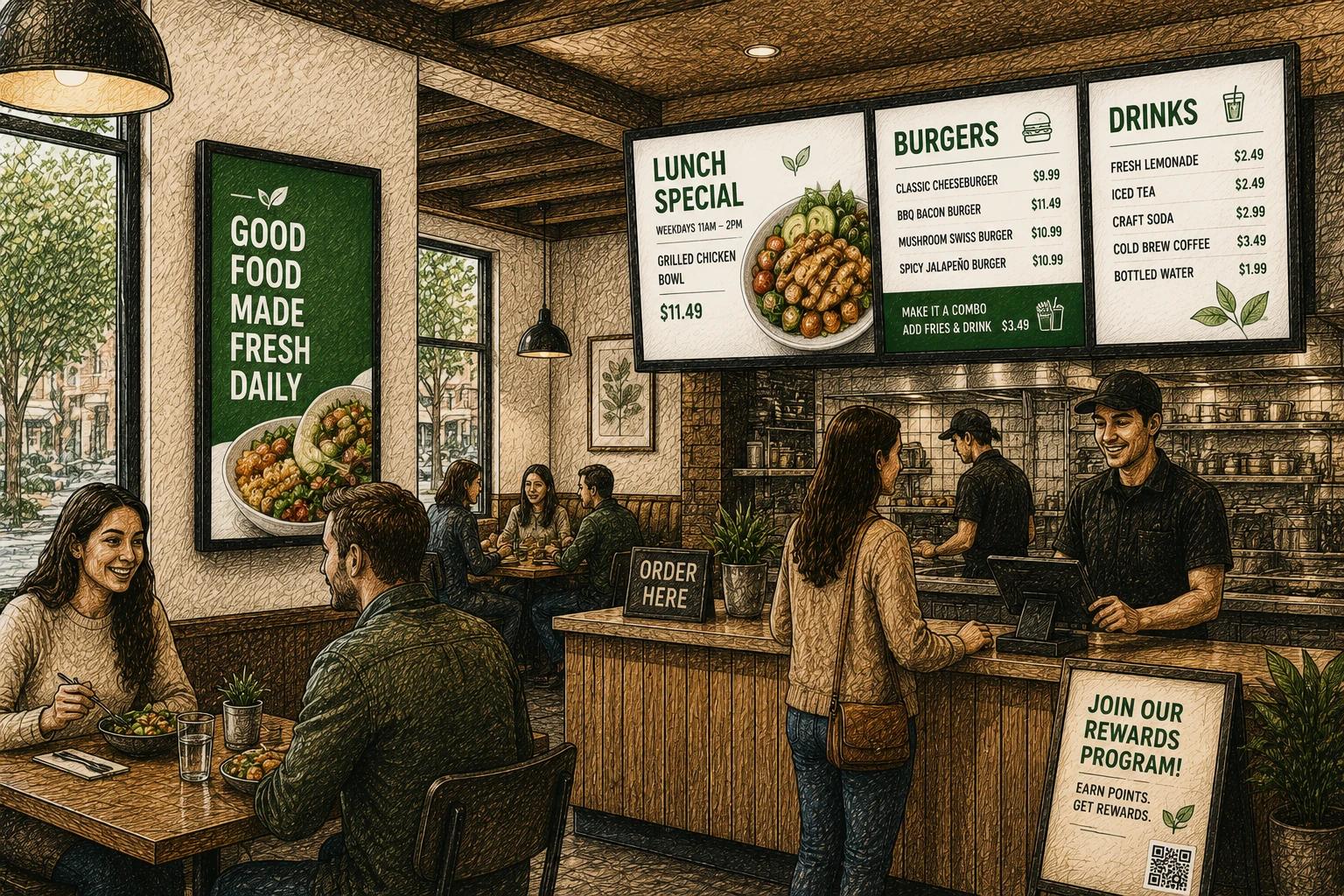
Lunch starts in 12 minutes, the soup changed, one item just sold out, and the price on a combo needs to go up before the rush. That is exactly where restaurant digital menu board software proves its value. It is not just a nicer screen on the wall. It is a faster operating system for menus, promotions, and in-store communication.
For restaurants, menu boards sit at the intersection of brand, speed, and revenue. They influence what customers notice first, how quickly they order, and whether your team can keep information accurate across every service window. Good software makes those updates simple. Bad software turns every change into a workaround.
What restaurant digital menu board software should actually do
At a basic level, restaurant digital menu board software gives you a way to design menu content, publish it to screens, and change it without rebuilding everything from scratch. But the real difference is in how much effort it takes to run day after day.
A restaurant does not need the same thing as a corporate lobby display. Menus change by daypart. Limited-time offers appear and disappear. Prices shift. Some locations carry regional items. Franchise groups need consistency, while individual stores still need room for local edits. If the software cannot handle those realities, it becomes another system your staff works around instead of one they rely on.
The strongest platforms combine three things well. First, they make content creation easy enough for non-designers. Second, they make updates fast enough for operators. Third, they make scheduling and control reliable enough for multi-location use. That sounds simple, but many tools are much better at one of those jobs than the others.
Why restaurants outgrow static menu boards
Printed boards and manual screen setups can work for a while, especially for a single location with a stable menu. The problem starts when your business gets more dynamic.
If you run breakfast, lunch, and dinner, timing matters. If your margins are tight, pricing accuracy matters. If you launch seasonal offers, visibility matters. And if you operate more than one location, consistency matters even more. A menu that looks polished but takes hours to update is expensive in a way that does not show up on the invoice.
This is where digital menu software earns its keep. It reduces the lag between a business decision and what customers see on screen. That might mean switching from breakfast to lunch automatically, promoting higher-margin items in the afternoon, or replacing sold-out items without a design scramble.
There is also a presentation advantage. Digital boards let restaurants use movement, layout hierarchy, and more flexible visuals to guide attention. That does not mean every screen should feel busy. In fact, some of the best-performing boards are very restrained. But software should make that restraint easy to maintain, not hard to build.
How to evaluate restaurant digital menu board software
The right choice usually depends less on flashy features and more on operational fit. A coffee shop with one counter display has very different needs than a fast-casual brand managing 40 stores. Still, a few criteria matter almost every time.
Ease of editing
Restaurant teams need to make changes quickly, often under pressure. If updating a menu requires designer-level skill, the software will create bottlenecks. Look for a platform with templates, simple drag-and-drop editing, and reusable content blocks. Those basics matter more than advanced design effects for most operators.
There is a trade-off here. Highly customizable platforms can offer more creative freedom, but they may also be slower for day-to-day use. If your team values speed and consistency over one-off visual experimentation, simplicity is usually the better bet.
Scheduling and dayparting
Menus are time-sensitive by nature. Breakfast should not still be showing at 1:30 p.m. Promotions should start and stop when planned. Holiday hours and special events need temporary changes without permanent disruption.
Strong scheduling tools let you automate those transitions in advance. Better ones make it easy to set rules by time, day, location, or campaign window. This is one of the clearest places where software can save labor and reduce mistakes.
Multi-location control
For growing restaurant groups, centralized management matters. You want one place to update brand standards, pricing structures, and campaign creative, while still allowing local flexibility where appropriate.
The best systems support shared templates, role-based permissions, and location-level overrides. That means corporate can maintain consistency while store managers can still swap in a local special or remove an unavailable item. Without that balance, either brand control suffers or local execution slows down.
Content reliability
A digital menu board is customer-facing infrastructure. If screens go dark, freeze, or show outdated content, the issue is visible immediately. Reliability matters as much as design.
That includes the software itself, the player setup, publishing speed, and remote management tools. If your team cannot troubleshoot a screen without being on-site, small issues become larger operational interruptions.
Integration and automation
Not every restaurant needs deep integrations, but some do. If your menu content depends on inventory, POS data, promotions calendars, or social proof elements, the software should support a practical level of automation.
This is where many buyers need to be honest about complexity. Integrations can be powerful, but they can also add setup time and maintenance. If a simple scheduling workflow covers 90 percent of your needs, that may be the smarter path. If you run frequent promotions across multiple locations, automation starts to look less optional.
The most common mistakes restaurants make
One of the biggest mistakes is treating screen software as a design purchase instead of an operations purchase. Yes, the menu needs to look good. But if your team cannot update it easily, the visual quality will degrade over time because people avoid making changes.
Another mistake is overcrowding the menu. Digital screens create the temptation to add movement, more categories, more upsells, and more messages. Usually, that hurts readability. Good restaurant digital menu board software should support clean layouts, consistent spacing, and clear content hierarchy. Software cannot fix poor menu strategy, but it should not encourage clutter either.
Restaurants also underestimate governance. Who can change pricing? Who approves campaign updates? Which fields should stay locked? These questions matter more once you have multiple users or locations. Software with sensible permissions prevents small mistakes from becoming very public ones.
What this looks like in practice
For a single-location restaurant, the win is often speed and polish. You can update a special in minutes, schedule dayparts once, and keep the customer-facing experience more current without relying on a designer every time.
For a regional group, the value shifts toward consistency and scale. Corporate can deploy a new promotion across all stores, while local operators still adjust only what they need. That reduces version control problems and keeps rollouts from turning into long email threads with revised files.
For fast-moving concepts, the real gain may be momentum. When it becomes easy to test a bundle, highlight an add-on, or feature a seasonal item, the menu board turns into an active sales tool instead of a static fixture. That does not guarantee better results, but it makes better execution much more realistic.
Choosing software that fits where you are now
It is easy to overbuy. Plenty of restaurant teams end up paying for enterprise complexity they do not use. Others choose the cheapest option and outgrow it quickly because it cannot support scheduling, remote control, or template-based management.
A better approach is to choose software that fits your current operating model while leaving room for the next stage. If you are adding locations, central control becomes more important. If you are refreshing promotions often, ease of editing matters more. If your menu is stable and simple, you may not need a heavy integration stack at all.
That is part of why modern platforms like HipDeck are gaining attention. Restaurants want professional screens and practical control without the weight of legacy signage systems. They want software their team can actually use.
Restaurant digital menu board software works best when it fades into the background. Your staff should not have to think much about the system to keep menus accurate, timely, and on-brand. When that happens, the screens stop being another task to manage and start doing what they should have done all along - help the restaurant move faster, present better, and sell more clearly.