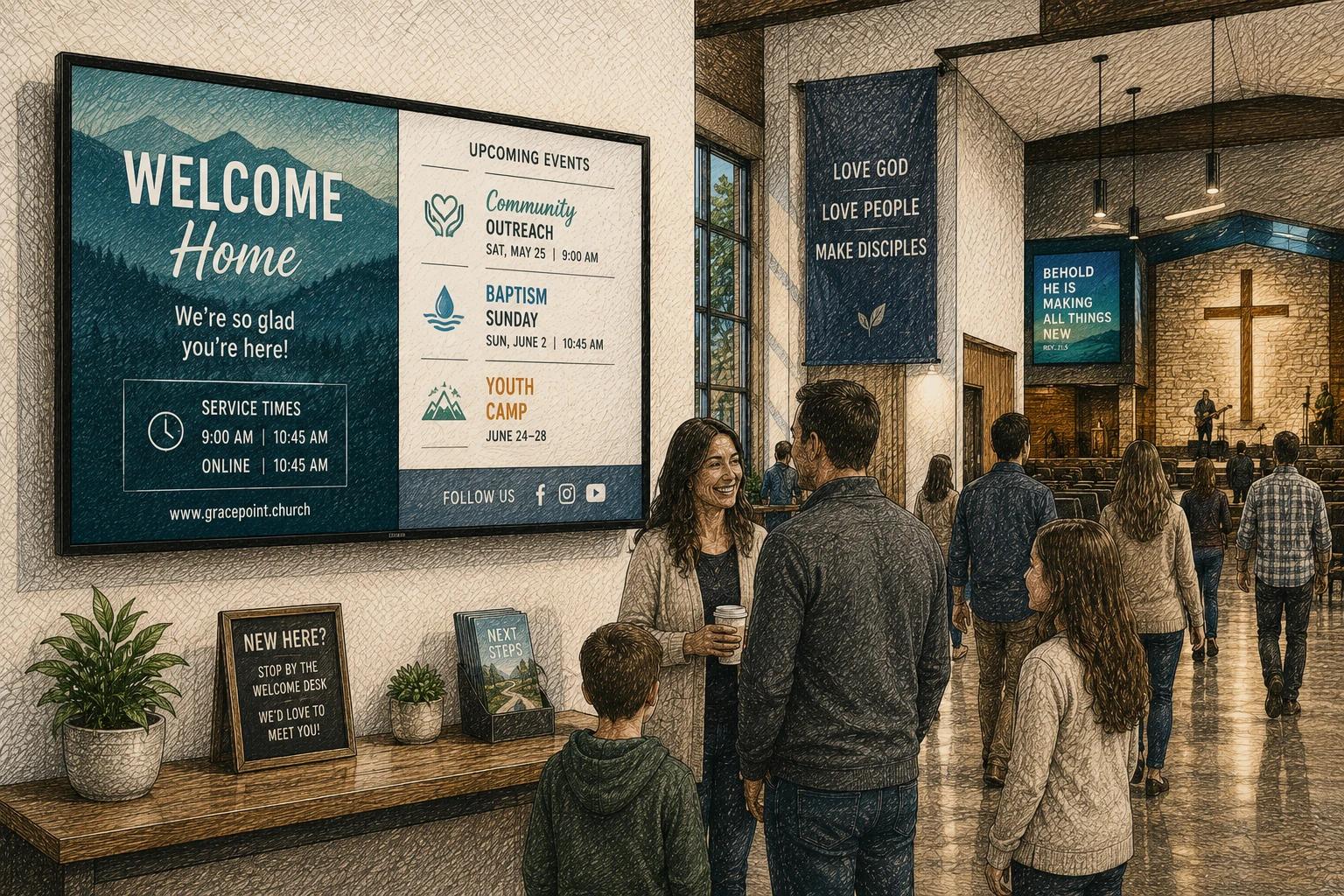
Sunday starts in 20 minutes. A volunteer is fixing a typo in the welcome slide, someone else is texting over a last-minute event change, and the lobby TV is still showing last week’s youth announcement. That is usually the moment churches realize church announcement screen software is not really about slides. It is about consistency, timing, and making communication easier for the people already doing too much.
For most churches, screens serve a simple purpose. They help people know what is happening, where to go, and what to do next. But the software behind those screens can either support that goal or quietly make it harder. If updates are slow, scheduling is clunky, or only one tech-savvy person knows how to use the system, the screen becomes another thing to manage instead of a tool that removes friction.
What church announcement screen software should actually solve
Churches do not need software just because digital screens look modern. They need it because printed bulletin workflows are slow, verbal announcements are easy to miss, and information changes constantly. Service times shift on holidays. Volunteers need reminders. Kids ministry check-in details change. Community events get added late.
Good church announcement screen software gives your team a reliable place to manage all of that without recreating content every week. It should help you publish updates quickly, schedule content in advance, and keep screens accurate across different spaces like the lobby, sanctuary, fellowship hall, and classrooms.
That sounds obvious, but many churches still end up using a patchwork setup. One screen runs a USB slideshow. Another is connected to a media computer. A third only gets updated when someone remembers. The result is inconsistent messaging, and inconsistency weakens trust. If members see outdated information often enough, they stop looking at the screen altogether.
The difference between presentation tools and church announcement screen software
This is where many buying decisions go sideways. Churches often start with software made for worship presentation and then expect it to handle ongoing signage. Sometimes it can, to a point. But service presentation tools and digital signage platforms are built for different jobs.
Presentation software is designed for live control during a service. It is excellent for lyrics, sermon slides, and media cues that need to change in real time. Church announcement screen software is better suited for passive, always-on communication before service, after service, and throughout the week.
If your goal is to rotate announcements in the lobby, display event reminders in a hallway, or keep multiple TVs updated without manual intervention, signage software is usually the better fit. The trade-off is simple: presentation tools give you more live-service control, while signage software gives you better scheduling, remote updates, and ongoing content management. Some churches need both.
What to look for in church announcement screen software
Ease of use matters more than feature volume. In many churches, the people updating content are volunteers, office administrators, or communications staff juggling several responsibilities. If the platform requires too much training, it will not get used well, even if it looks impressive in a demo.
Start with content creation. The best systems make it easy to build polished announcements without needing a designer for every update. Templates help, especially when you want your welcome messages, event promos, giving reminders, and ministry slides to feel consistent. A clean editor matters too. Small edits should take minutes, not an afternoon.
Scheduling is just as important. Church communication is cyclical. You know when Sunday services happen, when Wednesday programming starts, and when seasonal campaigns are coming. Your software should let you plan content ahead of time, set date ranges, and automatically stop showing outdated slides. This one feature alone prevents a surprising number of mistakes.
Remote management becomes more important as soon as you have more than one screen. Maybe the lobby gets general announcements, the kids area shows check-in instructions, and the student room highlights upcoming events. Managing those displays from one dashboard saves time and reduces confusion.
It also helps to look for content flexibility. Churches rarely want screens to show only static slides all day. They may want countdowns before service, welcome messages, event graphics, photo loops, weather, calendars, or social content. The software does not need every integration under the sun, but it should support more than a basic image playlist if you want your screens to stay useful over time.
Why simplicity usually beats customization
Churches can be tempted by highly customizable systems, especially if a technically skilled staff member is involved early in the search. The problem is that churches also experience staff turnover, volunteer changes, and shifting ownership over communication tools.
A system that works well only when one expert is running it is not really efficient. It is fragile.
That is why simplicity tends to win in the long run. Straightforward screen management, clear scheduling, and easy content updates are often more valuable than advanced controls most teams will never use. A modern platform should feel capable without feeling heavy.
This is especially true for small and midsize churches. They usually do not need enterprise-level complexity. They need software that helps a church administrator update a screen quickly, allows a communications lead to maintain brand consistency, and gives leadership confidence that announcements are accurate.
Church announcement screen software for one campus or many
A single-location church can get by with a simpler setup, but even then, growth changes the equation. Once you add more buildings, more ministries, or more displays, manual updating gets expensive in time and attention.
For multi-campus churches, church announcement screen software should make centralized control possible without forcing every screen to show the same thing. The main campus may want denomination-wide messages or churchwide campaigns, while each location still needs room for local reminders and events.
That balance matters. Too much central control can make screens feel generic. Too much local control can create branding inconsistency and outdated content. The best setup usually gives a central team shared templates and governance, while still allowing each campus or ministry to manage its own relevant updates.
Common mistakes churches make before buying
The first mistake is focusing only on the screen in the sanctuary. Often, the highest-value screens are outside the worship space. Lobbies, entryways, hallways, and children’s areas are where people make decisions, look for direction, and notice reminders.
The second mistake is underestimating ongoing maintenance. Almost any system can look good on launch day. What matters is whether your team can keep it current six months later. If the workflow is tedious, the content will go stale.
The third mistake is buying based on technical specs instead of communication outcomes. Resolution, hardware compatibility, and playback support matter, but they are not the whole story. Ask whether the platform helps your church communicate clearly and consistently with the staff capacity you actually have.
The fourth mistake is treating all church content the same. A welcome screen, an event promotion, a giving reminder, and volunteer information do not need the same cadence or the same audience. Software that lets you target content by screen or location is much more practical than a one-playlist-for-everything approach.
A practical way to evaluate options
Before comparing vendors, map your communication needs first. How many screens do you have now? Who updates them? How often does content change? Which displays need the same messaging, and which need local content? Those answers will narrow your options quickly.
Then test the real workflow, not just the polished demo. Create an announcement. Schedule it for next week. Assign it to two different screens. Update a typo. Replace expired content. If those simple actions feel harder than they should, the system is probably not the right fit.
It is also worth checking how the platform will age with your church. A good system should support where you are now without boxing you in later. If you add more screens, another campus, or more sophisticated content, you should not have to rebuild your whole process from scratch. That is one reason many teams are moving toward easier, cloud-based platforms like HipDeck that prioritize flexibility without adding complexity.
The best software is the one your team will keep using
There is no single best church announcement screen software for every church. A smaller congregation with one lobby display has different needs than a multi-campus church running dozens of screens. Budget matters. Internal design capacity matters. Hardware setup matters.
But one principle holds up across every scenario: the best system is the one your team can use consistently. Clear content, reliable scheduling, and simple screen management will almost always outperform a more advanced platform that sits half-used because it takes too much effort. That sweet spot is where HipDeck shines.
Church screens work best when they quietly remove friction. They answer questions before someone has to ask them. They reinforce next steps without adding noise. And they give your staff and volunteers one less thing to chase on a busy Sunday morning.
If the software helps you do that with less effort and better consistency, you are not just buying a screen tool. You are giving your communication process room to breathe.