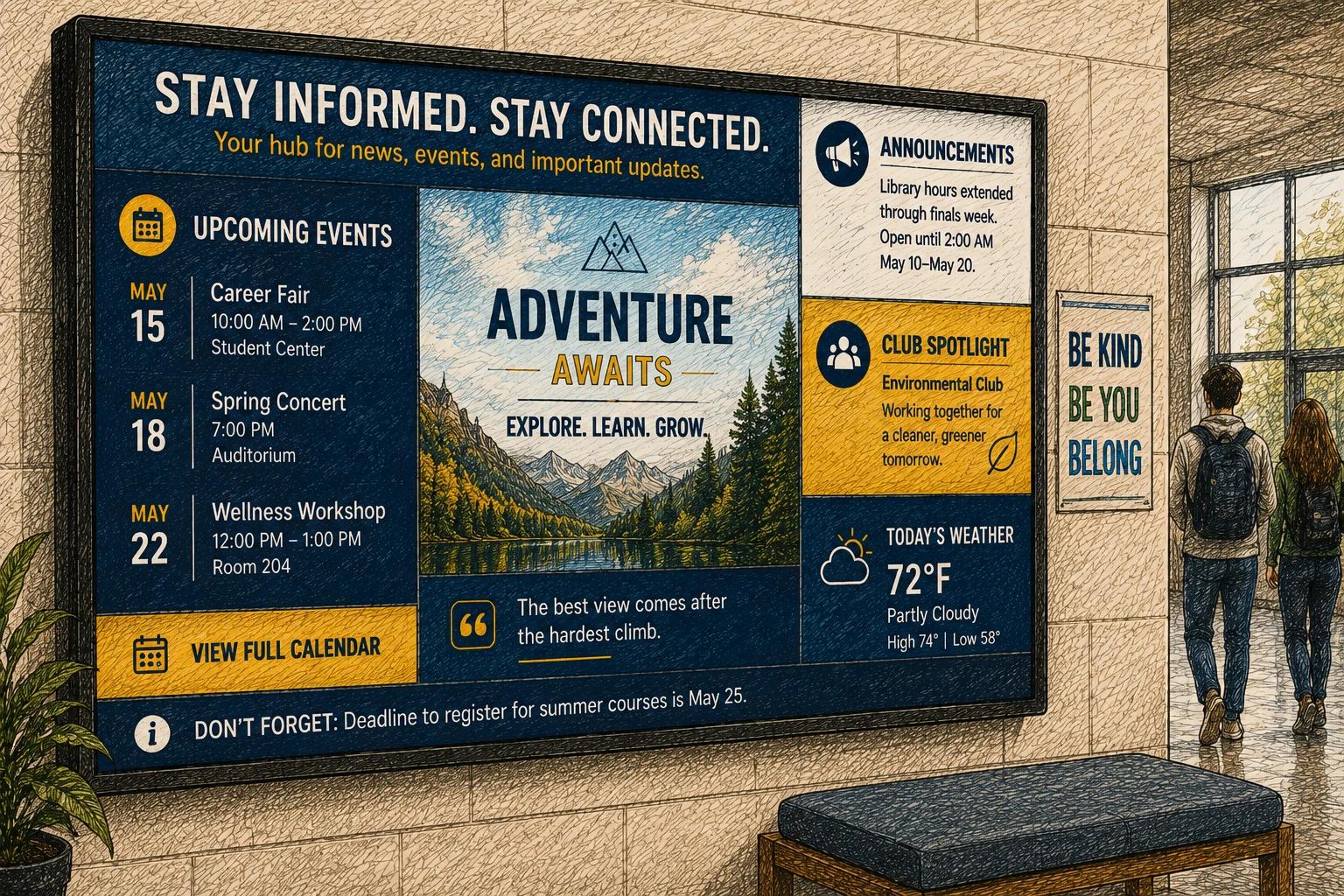
Digital Bulletin Boards: A Better Way to Keep Information Visible and Current
Walk through almost any school office, church lobby, employee break room, waiting area, or community center and you can usually spot the same communication problem immediately: a cork board covered in outdated flyers, overlapping announcements, faded printouts, and one important message nobody actually notices.
Traditional bulletin boards were built for a slower pace of communication. Modern organizations do not operate that way anymore.
Schedules change daily. Events move. Promotions rotate. Staff updates evolve constantly. Most teams no longer have the time to redesign, print, replace, and redistribute physical signage every week.
Digital bulletin boards solve that problem with something much simpler than most organizations expect. Instead of relying on paper notices and manual posting, they use screens to display announcements, reminders, schedules, promotions, live updates, dashboards, event information, and other content that can be updated remotely in minutes.
That sounds straightforward, but the real value is not just that the board becomes digital. The real value is operational. Communication becomes easier to manage, easier to update, more consistent across locations, and far more likely to actually be seen.
That shift is one reason the digital signage industry has grown so aggressively over the past decade. Analysts now project the global digital signage market to surpass tens of billions of dollars within the next several years as businesses, schools, healthcare facilities, restaurants, retail stores, and churches continue replacing static communication systems with connected displays.
And in practice, the transition usually happens faster than organizations expect. Once teams realize how easy it is to update information remotely, screens often become central communication tools rather than simple announcement boards.
What digital bulletin boards are really for
At a basic level, digital bulletin boards are screen-based displays designed to replace or improve traditional notice boards.
They can show rotating slides, event reminders, calendars, welcome messages, emergency alerts, menus, employee announcements, recognition boards, safety information, donor recognition, sponsor ads, promotional campaigns, and more. Many setups also integrate live content such as weather, social feeds, dashboards, calendars, local news, or internal company updates.
The reason they work is practical.
A printed bulletin board is static, easy to ignore, and time-consuming to maintain. A digital board can automatically change by time of day, audience, or location. The same screen can welcome visitors in the morning, promote lunch specials during the afternoon, and display staff reminders after hours.
That flexibility becomes especially valuable for organizations already dealing with operational overload. In most cases, the problem is not a lack of communication ideas. It is the friction involved in updating everything consistently.
Where digital bulletin boards make the biggest difference
The strongest use cases tend to be environments where information changes frequently and attention spans are limited.
Schools
Schools are one of the most natural fits for digital bulletin boards because communication changes constantly.
Administrators use them for daily announcements, lunch menus, event calendars, sports schedules, student recognition, emergency messaging, wayfinding, transportation updates, and classroom reminders.
One practical advantage schools quickly notice is centralized updating. Instead of printing new notices for multiple buildings or hallways every week, administrators can update content once and distribute it to every screen automatically.
In larger districts, that time savings alone becomes significant.
Churches
Churches often start with a single lobby screen and gradually expand from there.
Initially, the display may only show sermon graphics or upcoming service times. Within a few weeks, most churches begin using the screens for volunteer coordination, children's ministry announcements, donation campaigns, event registration, prayer requests, livestream schedules, and welcome messaging.
One consistent pattern across church deployments is the reduction in last-minute signage scrambling before services. Instead of manually swapping printed signs before every gathering, teams can schedule updates ahead of time and manage changes remotely.
Retail stores and restaurants
For retail stores, restaurants, and service businesses, digital bulletin boards serve both operational and commercial purposes.
They can promote offers, highlight products, reinforce branding, display pickup instructions, announce events, show queue information, rotate menu items, or update pricing in real time.
Motion-based digital displays also tend to attract significantly more attention than static printed signage. In practical environments, even subtle movement and scheduled content rotation can dramatically increase visibility compared to posters that quickly blend into the background.
Offices and staff communication
In offices, warehouses, and staff-only environments, the screens are usually less about marketing and more about alignment.
Organizations commonly use digital bulletin boards for:
- shift reminders
- KPI dashboards
- onboarding information
- birthdays and employee recognition
- safety messaging
- production updates
- internal announcements
- training reminders
Many teams discover that screens succeed where email often fails. Employees who ignore internal emails may still notice a well-placed display near entrances, break rooms, or production areas.
The common thread across all industries is not the business category itself. It is the need to keep communication visible and current without adding another manual task to someone’s day.
Why traditional bulletin boards break down
Traditional bulletin boards still have a place in some environments, but they begin to fail once communication needs to move faster than paper allows.
Printed signage creates version-control problems almost immediately. One person updates a flyer while another forgets to remove the outdated version. Different departments create different layouts, fonts, and messaging styles. Important information gets buried underneath less important notices.
There is also a visibility problem.
Static boards eventually become part of the background. People stop noticing them entirely, especially in busy environments where attention is already fragmented. Digital displays are not magic, but motion, scheduling, layout control, and rotation give them a significantly better chance of capturing attention.
Then there is the operational cost.
Printing itself is rarely the largest expense. The real cost is staff time:
- designing flyers
- posting notices
- replacing outdated material
- checking accuracy
- redistributing updates
- repeating the process across multiple locations
That workload scales badly.
Digital bulletin boards reduce that operational drag dramatically when the system behind them is easy to use.
What actually makes digital bulletin boards effective
A screen does not improve communication automatically.
In fact, many digital bulletin board deployments fail because teams treat the screen like a dumping ground for too much information.
The best systems usually do a few things extremely well.
They maintain a clear purpose
A lobby display should not try to function like an employee intranet.
A break-room communication board should not look like a promotional ad network.
The most effective screens are designed around their physical environment and intended audience.
When viewers instantly understand what the screen is for, engagement improves naturally.
They simplify aggressively
One of the most common mistakes first-time deployments make is trying to display too much content simultaneously.
Organizations often attempt to fit calendars, announcements, sponsor graphics, weather widgets, social feeds, logos, scrolling text, and multiple announcements onto a single screen.
The result is usually worse communication, not better communication.
In real-world environments, most viewers only glance at a screen for a few seconds while walking past it. The most effective content tends to prioritize:
- one primary message at a time
- large readable typography
- strong contrast
- clean layouts
- fast comprehension from a distance
If a message requires a paragraph to explain, it probably belongs somewhere else.
They stay current
This is where many organizations struggle.
Launching a screen network is relatively easy. Keeping it updated six months later is harder.
In practice, overly complicated systems almost always lead to stale screens. Teams begin with good intentions, but if updating content requires complicated workflows, multiple logins, awkward file transfers, or IT involvement for small changes, the screens gradually stop reflecting current information.
This is especially noticeable in schools and churches where communication is often handled by volunteers or already-overloaded staff members.
Simplicity matters far more in long-term deployments than feature lists do.
In many cases, platforms with fewer enterprise-style features but significantly easier publishing workflows produce better communication outcomes over time simply because teams continue using them consistently.
The operational shift that matters most
The biggest improvement digital bulletin boards create is not visual. It is operational.
When content can be updated remotely, scheduled ahead of time, reused across locations, and automated based on time or data sources, communication becomes less reactive.
A school can prepare next week's announcements in advance.
A restaurant can automatically switch breakfast menus to lunch promotions at noon.
A church can update one event slide and distribute it across lobby, fellowship hall, and welcome-center screens simultaneously.
A multi-location business can maintain brand consistency without emailing design files back and forth between locations.
That operational shift matters because it reduces dependence on someone physically standing in front of a bulletin board making manual changes every day.
It also lowers the barrier for small improvements. Teams are much more likely to keep communication current when the update process takes two minutes instead of an hour.
Modern signage platforms have fundamentally changed the category in that regard. Good digital bulletin boards are no longer just screens running slideshows. They function more like lightweight publishing systems for physical spaces.
Choosing the right setup
The right digital bulletin board setup depends heavily on:
- how often content changes
- how many screens are involved
- who manages the content
- whether multiple departments contribute updates
For single-location deployments with simple announcements, a basic screen and scheduling system may be enough.
For multi-location organizations, centralized management, reusable templates, permissions, and remote updates become much more important.
Hardware matters, but usually not as much as buyers initially assume.
Most organizations do not need exotic commercial hardware to get started. In many cases, reliable consumer TVs paired with affordable media players work extremely well for standard communication needs.
The software choice usually has the largest long-term impact.
If publishing content feels clunky or screen management becomes buried under enterprise-level complexity, teams gradually stop using the system effectively. This is one reason ease of use matters so much in real deployments.
A platform that saves five minutes every time somebody updates content compounds into massive operational savings over time.
Common mistakes organizations make
One common mistake is treating every screen identically.
A waiting-room display, an employee communication board, and a customer-facing promotional screen serve completely different audiences. They should not all run the same content loop.
Another mistake is overdesigning layouts.
Teams often assume more movement, more widgets, and more content automatically create a better experience. In reality, overloaded layouts often reduce readability and playback performance at the same time.
This becomes especially noticeable on lower-cost hardware like Fire TV devices or Android-based players, where excessive animations and complicated layouts can eventually reduce smoothness or increase maintenance headaches.
Simpler layouts are not only easier to read. They are often operationally more reliable as well.
Another major mistake is failing to assign ownership.
Even highly automated systems still need someone responsible for content quality, scheduling, and consistency. The good news is that this usually does not require a full-time position when the platform is designed for simplicity.
Finally, many organizations focus only on startup cost.
Price matters, especially for smaller teams, but long-term maintenance effort matters too. A cheaper platform that creates more operational friction often becomes more expensive in practice because teams stop using it effectively.
Practical things worth considering
Ease of posting has a major impact on long-term engagement.
If contributors have to navigate multiple systems, create accounts, meet complicated formatting requirements, or wait for approvals just to submit a flyer or announcement, participation usually drops quickly.
For public-facing community boards, QR-code-based submissions can work extremely well. Allowing users to quickly submit announcements, event flyers, or campaigns through a simple mobile workflow dramatically increases participation.
Organizations should also take advantage of live content sources whenever possible.
Weather updates, social feeds, local events, dashboards, calendars, and automated announcements are some of the biggest advantages digital bulletin boards have over traditional cork boards.
The more content updates itself automatically, the easier the system becomes to maintain long term.
Why digital bulletin boards continue gaining traction
Digital bulletin boards occupy a useful middle ground.
They are far simpler than large enterprise communication systems, but significantly more dynamic and maintainable than posters, whiteboards, or paper notices.
That balance makes them particularly attractive for organizations that want better communication without taking on a massive technical project.
They also align with how modern organizations operate.
Information moves faster now. Promotions change more often. Events shift constantly. Staff communication evolves daily. Most teams no longer have spare hours available to manage outdated communication workflows manually.
A well-managed screen network helps close that gap.
It turns communication into something more visible, more organized, easier to maintain, and more adaptable across real physical environments where people make decisions, ask questions, and form impressions.
And in practice, that is usually the real reason organizations adopt digital bulletin boards in the first place.
Not because the screens look modern.
Because the old process stopped scaling.
If you are considering digital bulletin boards, start small. Solve one communication problem that repeats every week. Once teams experience how much easier that process becomes, the long-term value usually becomes obvious very quickly.