A screen in your lobby, menu area, waiting room, or storefront should not create more work than it saves. But that is exactly what happens when teams rely on USB updates, mismatched players, or digital signage software that feels built for a much larger IT department.
The right digital signage software does more than put content on a display. It turns screens into a usable communication system - one that your team can update quickly, manage remotely, and trust across one location or fifty. For businesses, schools, churches, and multi-site organizations, that difference shows up fast in time saved, consistency improved, and fewer avoidable headaches.
What digital signage software actually needs to do
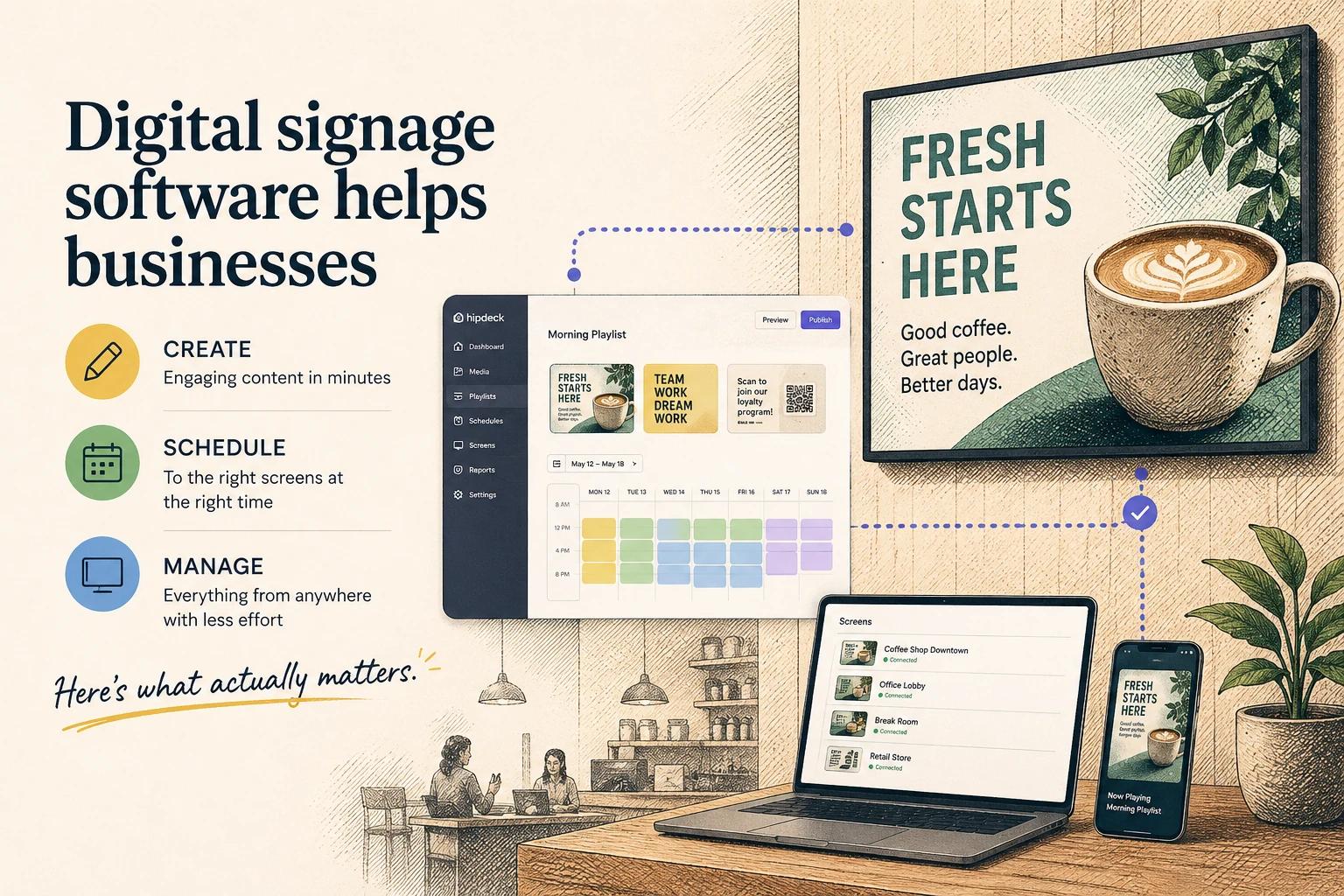
At a basic level, digital signage software helps you create content, publish it to screens, and control when and where that content appears. That sounds simple, but the gap between basic capability and daily usability is where many platforms fall apart.
Most organizations do not need endless configuration options. They need a system that makes ordinary work easier. That usually means building slides or playlists without design bottlenecks, updating screens without being on-site, and scheduling content around real operating hours, promotions, services, events, or announcements.
Good software also reduces the number of tools your team has to stitch together. If you are designing graphics in one platform, uploading files in another, manually changing content on each screen, and checking status through a separate dashboard, the system is already costing more than the subscription suggests.
Why ease of use matters more than feature volume
A common buying mistake is choosing based on the longest feature list. On paper, that can feel safer. In practice, complexity tends to shift the burden back onto your staff.
If a marketing coordinator can update a campaign in five minutes, the screen stays current. If a school administrator can change a lunch menu or event slide without asking for help, the display becomes part of everyday communication. If a restaurant manager can schedule breakfast, lunch, and dinner content once and let it run, operations get lighter.
When software is hard to use, screens go stale. That is the hidden cost. Businesses rarely abandon digital signage because screens are ineffective. They stop getting value because updates become inconsistent, ownership gets fuzzy, and the platform asks too much from people who already have full workloads.
That is why approachable design is not a nice extra. It is one of the main drivers of adoption.
The most useful digital signage software features
The best features are not always the most advanced. They are the ones that remove friction from repeated tasks.
Remote management is near the top of the list. If you manage more than one display, or more than one location, you need to see screen status and push updates without traveling. That is not enterprise luxury. It is basic operational efficiency.
Scheduling matters just as much. Content should change by time of day, day of week, season, campaign window, or event schedule without requiring manual intervention. A schedule is what turns a screen from a passive display into a working channel.
Templates and simple design tools are also more valuable than many teams expect. Not every organization has an in-house designer, and even those that do still need speed. Reusable layouts help teams maintain a professional look while making frequent updates manageable.
Content integrations can be a major advantage, especially when information changes often. Menus, announcements, dashboards, calendars, social proof, internal messages, or promotional content all become easier to maintain when they are connected to live sources instead of rebuilt by hand.
Then there is proof of playback and device visibility. If a screen is offline, frozen, or showing outdated content, someone needs to know before a customer or visitor does. Lightweight monitoring is often more useful than a complex analytics suite that no one checks.
What different organizations should prioritize
Not every buyer should evaluate digital signage software the same way. A single-location coffee shop and a regional healthcare group are solving different problems, even if both use wall-mounted displays.
Retail and hospitality teams usually care most about speed, promotional agility, and brand consistency. They need content to change fast and look polished. Restaurants often need dependable scheduling, menu updates, and simple management that does not interrupt staff.
Schools and churches tend to value clarity, accessibility, and shared ownership. Multiple people may need to update screens, and those users are often not technical specialists. In these settings, the best platform is usually the one people will actually use without training fatigue.
Healthcare and service businesses often prioritize trust and reliability. Waiting room screens, queue information, service messaging, and educational content have to feel current and professionally managed. Here, consistency matters as much as creativity.
Multi-location operators have another layer to think about. They need local flexibility without losing central control. That often means shared templates, location-based scheduling, permission controls, and a way to update many screens at once while still allowing site-specific content when needed.
The trade-offs behind pricing
Affordable software is attractive, but low price alone can be misleading. Some platforms look inexpensive until you add hardware constraints, user limits, support fees, implementation costs, or the labor required to manage a clunky workflow.
At the same time, high-cost platforms are not automatically better. Many were built for enterprise procurement cycles and technical teams, not for lean organizations trying to move quickly. If your team needs simplicity and speed, paying for deep complexity can be wasteful.
The better question is not, what is the cheapest option? It is, what gives our team the most usable control with the least overhead?
That includes setup time, training burden, content creation effort, device reliability, and how often someone has to intervene to keep screens useful. A platform that saves hours every month can be the better value even if the line-item price is slightly higher.
Where automation is making a real difference
Automation in digital signage is finally becoming practical, not just aspirational. The most useful forms are quiet and operational.
Instead of manually rebuilding playlists every week, teams can schedule recurring content rules. Instead of recreating the same announcement format, they can use templates that keep branding and layout consistent. Instead of checking every screen one by one, they can spot problems from a central view.
AI-assisted workflows are starting to help here too, especially in content generation and adaptation. That can mean faster draft creation, easier resizing, or help turning raw information into screen-ready messages. The value is not in replacing human judgment. It is in reducing the time it takes to go from idea to live display.
That said, automation should make systems easier to manage, not harder to understand. If an automated setup becomes so opaque that no one trusts it, the benefit disappears. Good automation feels predictable, visible, and easy to adjust.
How to evaluate a platform without overcomplicating it
The best evaluation process is usually more practical than technical. Start with your actual use case, not a giant wish list.
Ask who will update content, how often screens need to change, how many locations you manage, and what happens when something goes wrong. Think about whether you need local control, centralized control, or a mix of both. Be honest about your team's time and design capacity.
Then look closely at the everyday experience. How fast can someone make an update? How many steps does scheduling take? Can non-technical staff use it confidently? Does the interface make common tasks feel obvious?
This is where modern platforms stand apart from older ones. The strongest options are not trying to impress with complexity. They are trying to remove friction from the work people do every day. That is a more durable advantage.
For organizations that want a simpler path, newer tools such as HipDeck are part of a broader shift in the market. The focus is moving away from heavy systems and toward software that is easier to adopt, easier to manage, and easier to keep useful over time.
A better screen strategy starts with less friction
Digital signage works best when it becomes routine. Not forgotten, not overengineered, and not dependent on one person who knows how everything is wired together. Just reliable, current, well-managed communication on screens your team can control without stress.
That is what good digital signage software should deliver. Not more moving parts. More clarity, more consistency, and more confidence that your screens are helping the business instead of becoming one more thing to manage.
If you are choosing a platform, look for the one your team will still be happy using six months from now. That is usually where the real return starts.